Every 100Hz+ TV We Track Has a Worse Energy Label
In our database, every television with a 100Hz or faster refresh rate carries an F or G energy label. The 50-60Hz sets are all rated E.
By Nora Fischer · Last updated 19 July 2026
Researched and drafted with AI language-model assistance from CompareHomeAppliances' own verified spec database and cited public sources, per our AI-content disclosure.
Every television in our database with a refresh rate of 100Hz or faster carries an F or G energy label, the two worst classes on the current EU A-to-G scale. Both sets running at 50Hz or 60Hz are rated E instead, the best label among the six TVs we track. That is not a coincidence buried in noise, it is a clean split across every model in the set: four faster TVs, four worse labels; two slower TVs, two better labels. It is also a small sample, six TVs, so we are naming a real pattern, not a physical law.
Key takeaways:
- All 4 TVs in our database rated 100Hz or faster (Samsung QN90D 55, Samsung S90D 55, LG OLED C4 65, Philips OLED809 65) carry an F or G energy label.
- Both TVs at 50Hz or 60Hz in our database, the Samsung Q60D 65 and the LG QNED80 65, are rated E, the best class among the six sets we track.
- No TV in this dataset reaches A, B, C, or D. The best label present is E, which puts the whole category near the bottom of its own scale before you even compare individual sets.
- Screen size does not sort the pattern by itself: our 65-inch sets span 50Hz, 60Hz, and 120Hz, appearing on both sides of the label split.
- 0 of the 6 TVs in this dataset publish a price, so nothing here is a value-for-money claim, only a spec-to-label comparison.
Why would a faster refresh rate mean a worse energy label?
The EU electronic-displays energy label does not score refresh rate as its own line item. It scores measured on-screen power consumption against screen area, under Commission Delegated Regulation (EU) 2019/2013 and the accompanying ecodesign Regulation (EU) 2019/2021. Refresh rate is not the input, power draw is.
But refresh rate is not free. Driving a panel at 100Hz or 120Hz means refreshing more frames per second, which asks more of the panel electronics and, on the sets in our database, tends to travel with other power-hungry choices: OLED and Neo QLED panels with high peak brightness, larger active picture processing, and features aimed at gaming and sport rather than baseline efficiency. The 100Hz-plus sets in our database are not slow-panel TVs that happen to refresh faster, they are TVs built for motion clarity first, and that design goal tends to cost watts elsewhere on the spec sheet too.
So the honest reading is: refresh rate correlates cleanly with the label split in this dataset, and there is a plausible mechanism (faster panel driving, paired with brighter and more processing-heavy panels), but six TVs is not enough to prove refresh rate alone causes the worse rating. Treat it as a strong pattern worth checking before you buy, not a settled formula.
| Model | Size (inch) | Panel | Refresh rate | Energy class |
|---|---|---|---|---|
| Samsung Q60D 65 | 65 | QLED | 50Hz | E |
| LG QNED80 65 | 65 | QNED | 60Hz | E |
| Samsung QN90D 55 | 55 | Neo QLED | 100Hz | F |
| Samsung S90D 55 | 55 | OLED | 100Hz | G |
| LG OLED C4 65 | 65 | OLED | 120Hz | F |
| Philips OLED809 65 | 65 | OLED | 120Hz | F |
Could screen size explain this instead?
It is a fair question, since screen size feeds directly into the EU energy-label formula and larger panels generally draw more power. If the 100Hz-plus TVs in our database were simply the larger sets, size, not refresh rate, would be the real story.
That is not what our six TVs show. The Samsung Q60D 65 and the LG QNED80 65, both rated E, are 65-inch sets. So are the LG OLED C4 65 and the Philips OLED809 65, both rated F, at 120Hz. A 65-inch screen shows up on the good side and the bad side of this split, which rules out size as the sole explanation.
Where size does complicate the picture is on the fast side alone: both 100Hz sets in our database, the Samsung QN90D 55 and the Samsung S90D 55, happen to be 55-inch. That is a real limitation of a six-TV sample, refresh rate and size move together at the 100Hz mark here, and we cannot fully pull them apart with this little data. What we can say is that refresh rate is the one variable that sorts the whole set cleanly, at every size, while screen size by itself does not.
Panel type does not explain the split either. QLED, QNED, Neo QLED, and OLED panels all appear on both sides: QLED and QNED sit in the E-rated group, Neo QLED and OLED sit in the F/G-rated group, but OLED also happens to be the panel type on 3 of the 4 faster, worse-rated sets. Panel type tracks refresh rate more than it explains the label on its own.
Does a 50-60Hz TV feel slower in real use?
For most watching, the honest answer is no. Broadcast television, streaming series, and most films are produced and delivered in a way that a 50Hz or 60Hz panel renders cleanly. You are unlikely to notice a motion penalty watching a drama or a documentary on the Samsung Q60D 65 or the LG QNED80 65.
Where refresh rate earns its reputation is fast motion: live sport with quick camera pans and fast-moving balls or players, and gaming, where a higher native or effective refresh rate cuts motion blur and can lower input lag. If that is your main use case, the 100-120Hz sets in our database are doing a real job, and the worse energy label is the honest trade-off for that job, not a manufacturing shortcut.
So the choice is not “faster is always better” or “efficient is always enough.” It is matching the panel to what you actually watch. A household that streams series most evenings loses very little going with a 50-60Hz, E-rated set. A household built around live football or console gaming is paying for something real when it chooses the faster, F or G-rated alternative.
What this means for your next TV purchase
None of the six TVs in our database publish a price, so this is not a value-for-money verdict, only a spec pattern worth checking before you buy. If energy running cost matters to you as much as motion smoothness, do not assume the fanciest-sounding spec sheet is also the cheaper one to run: check the printed energy class on the label itself, not just the refresh-rate number in the marketing copy.
Browse the full televisions category to see refresh rate and energy class side by side across every model we track, and if you are deciding between two specific sets, run them head to head on the compare page to see the full spec gap, not just the two numbers highlighted here.
Appliances in this analysis
LG
OLED evo C4 (OLED65C43LA, 2024)
LG
QNED AI QNED80 (65QNED80A6A)
Philips
Ambilight OLED809 (65OLED809/12, 2024)
Samsung
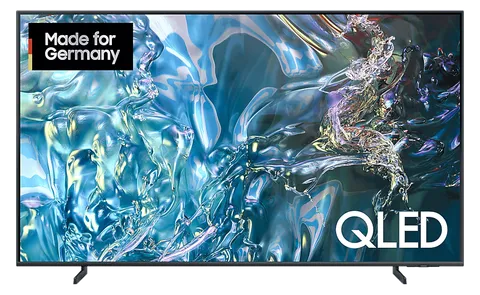
QLED 4K Q60D (GQ65Q60D, 2024)
Samsung
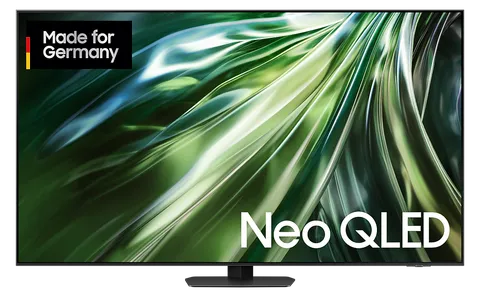
Neo QLED 4K QN90D (GQ55QN90D, 2024)
Samsung
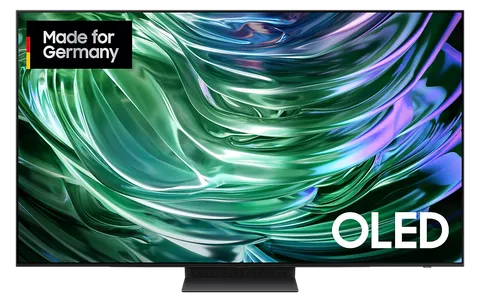
OLED 4K S90D (GQ55S90D, 2024)
Related categories
Frequently asked questions
Does a faster refresh rate directly cause a worse energy label? +
Our data shows a correlation, not a proven cause. Every 100Hz-or-faster TV in our database is rated F or G, and both 50-60Hz sets are rated E, but the underlying EU energy-label formula scores on-screen power draw and screen area, not refresh rate directly. A faster panel needs faster driving electronics, and in this small dataset the faster sets also happen to be the ones drawing more power on test, which is plausible but not something we can isolate from six data points alone.
Could screen size explain the pattern instead of refresh rate? +
Not on its own. Our 65-inch sets appear at 50Hz, 60Hz, and 120Hz, spanning both the best and worst labels in this dataset, so size alone does not sort the group. The 55-inch sets in our sample only appear at 100Hz, which does mean size and refresh rate move together here too. With just six TVs we cannot fully separate the two variables, but refresh rate is the one factor that lines up cleanly with every label in the set.
Is a 50-60Hz TV actually slower in everyday use? +
For most viewing, no. Films, series, and general streaming are shot and mastered well within what a 50-60Hz panel handles cleanly. The difference shows up in fast motion: live sports with quick camera pans, and gaming where a higher native or effective refresh rate reduces motion blur and input lag. If you watch mostly film and TV, a 50-60Hz set is not a real downgrade. If you game competitively or watch a lot of fast sport, the faster panel earns its keep.
Sources
More from the blog